
To ensure all credit-related orders are properly filed, tracked, and moved through the workflow in TCS/IM.
File Credit
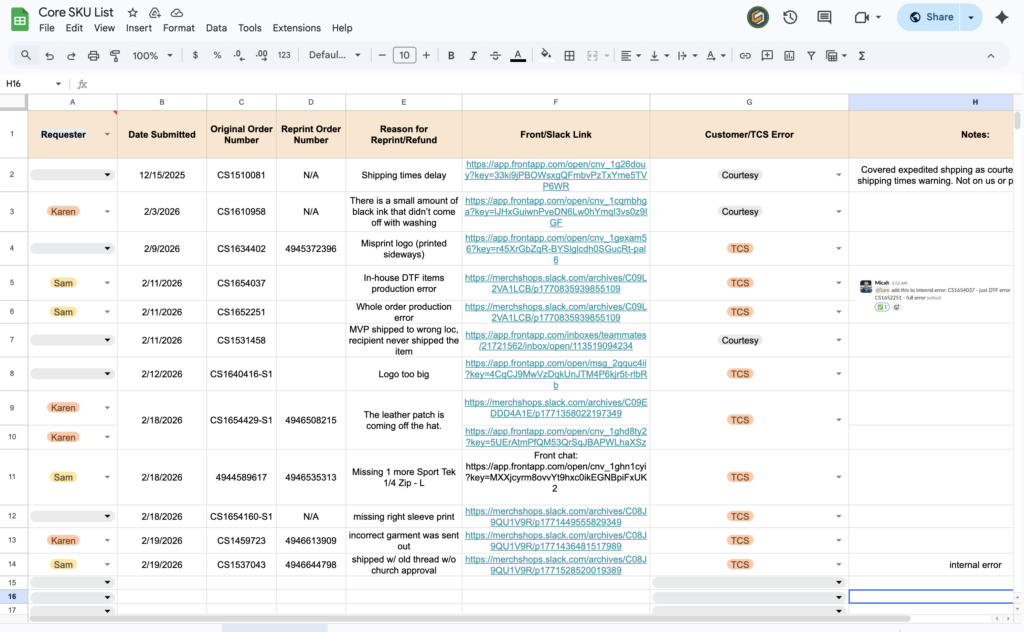
- Place the credit documentation in the TCS-IM CREDITS sheet.
- Include all relevant details: order number, customer info, amount, reason for credit.
Order Reprint Process
Step-by-step workflow for reprints, including in-house:
- Support duplicates the order for reprint and adds comments specifying which item(s) need to be reprinted.
- Support places the duplicate order in the To-Do queue.
- Reviewer (Venus) reviews comments and deletes any items that will not be reprinted.
- Support logs the relevant credit details in the Credit sheets.
Additional Notes:
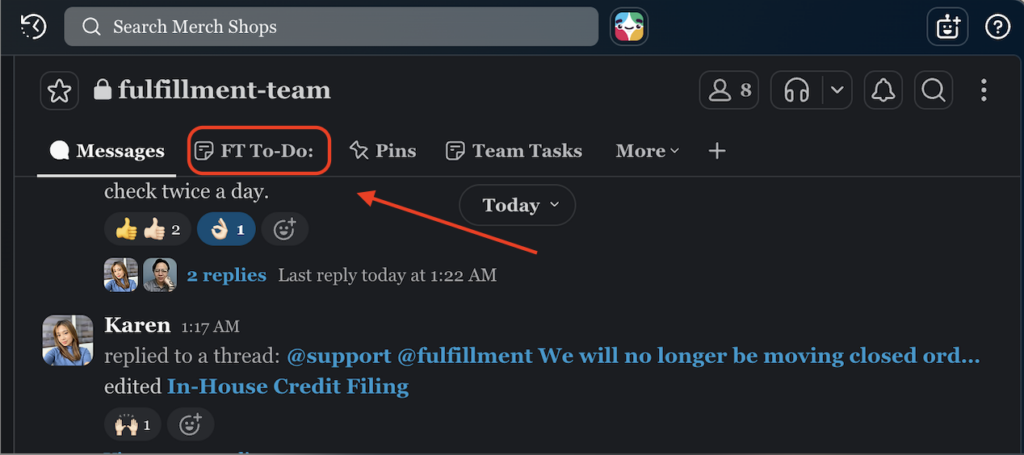
- Orders requiring reprints are tracked in the FT To-Do Canvas.
- The Fulfillment team reviews this canvas twice daily for updates.
- Tag orders with notes summarizing key info or next steps for Admin/Fulfillment.
Confirm Completion
- Double-check that all orders are:
- Correctly logged in credit sheets
- Tagged appropriately in the system
- Notes added for Admin/Fulfillment visibility
- Ensure all teams have access to the information and can follow up if needed.
Tips
- Always include clear notes explaining why the order was tagged and any actions required.
- Keep credit sheets up-to-date to avoid duplicates or missed filings.
- Follow the FT To-Do Canvas for all reprint-related follow-ups rather than moving closed orders to To-Do.
Visual Enhancements Suggestions:
- Add a screenshot of a filled-out TCS-IM Credit Sheet row for reference.
- Include an example Slack tag notification for Admin/Fulfillment.
- Add a snapshot of a sample FT To-Do Canvas order showing notes and tags for reprints.
- Optional: Create a small flowchart showing the reprint workflow for easy visual reference.
If you want, I can also turn this into a “one-page at-a-glance” version with colors, icons, and a mini flowchart, it would make it much easier for team members to quickly follow the steps.