
Skip to content
  • Documentation
  • Sample Page
The Church Shop | Internal Help Docs
  • Login
The Church Shop | Internal Help Docs

Support

⌘K
  • APPROVALS
    • APPROVALS – EMBR
    • APPROVALS – DTG
    • IMC Approvals
  • SUBSCRIPTIONS
    • Get Subscription Receipt from Previous Month
    • Cancel Subscription
    • Legacy to IMC Membership Migration
  • SUPPORT
    • Add VIP Contact
    • Process for Design Files That Need Enhancing
    • 1099 Tax Forms
    • Inbox Management
    • Handling Stained Garment Issues
    • Clients/Customers Ask Where We’re Based
    • How to close a vendor store
    • How to Create Pop-Up Store
    • Bulk Order Intake Process
    • Admin Replacement Verification
    • Delivered But Not Received
    • Checkout Donations
    • WL Rush Shipping Requests
    • Carrier Follow Ups
  • Filing Claims
    • Filing Claims with White Label (WLMFG)
    • In-House Credit Filing
    • General Reprint Policy
  • Archived
  • Fraud
    • Stolen Card
  • Return To Sender
    • Return To Sender
  • Requests & Approval for Reprint
    • Size Chart Issue
    • Reprints – Design & Sizing Change Requests
  1. Home
  2. Docs
  3. Support
  4. SUBSCRIPTIONS
  5. Get Subscription Receipt from Previous Month

Get Subscription Receipt from Previous Month

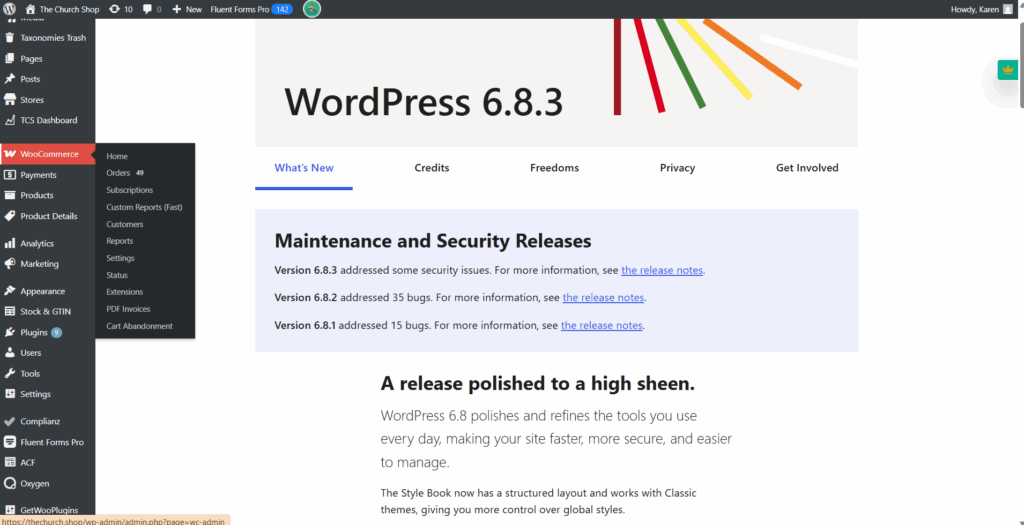
STEP 1: Navigate to WooCommerce and click on Subscriptions.
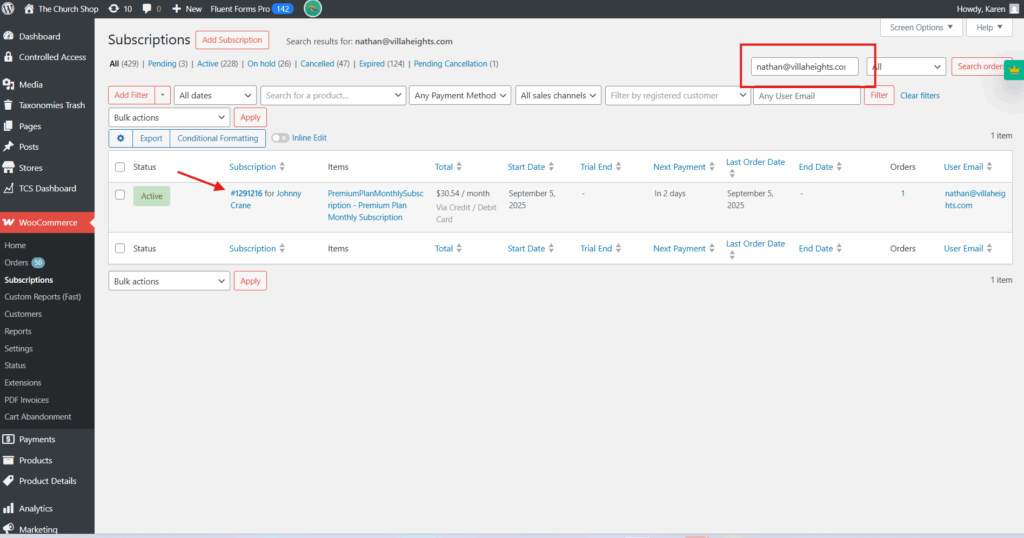
STEP 2: Search for the requesting client’s details using their email address, then click on the order number.
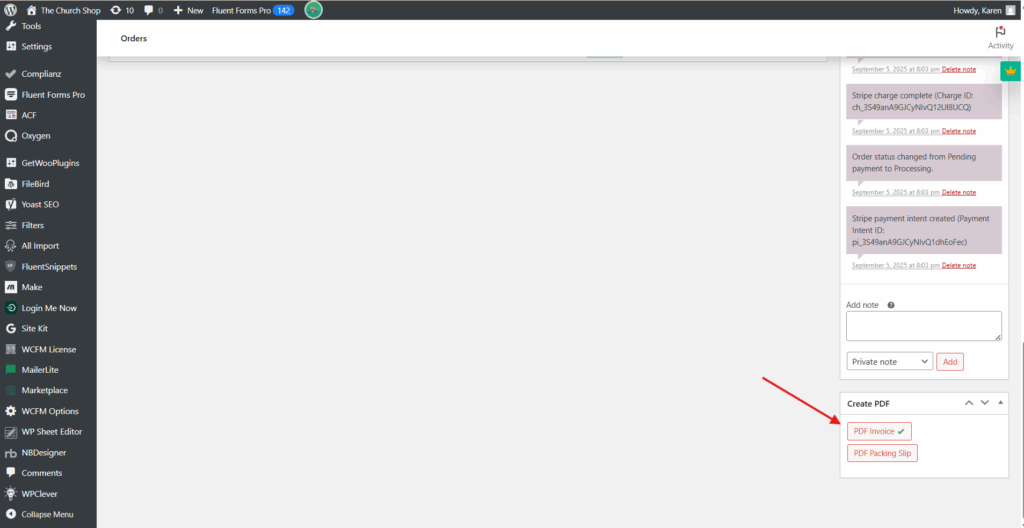
Once the page opens, scroll to the bottom and click PDF Invoice. Download the file and send it to the requesting client.
You can watch this video for a quick walkthrough.

Doc navigation

Cancel Subscription →

Copyright © 2026 - The Church Shop