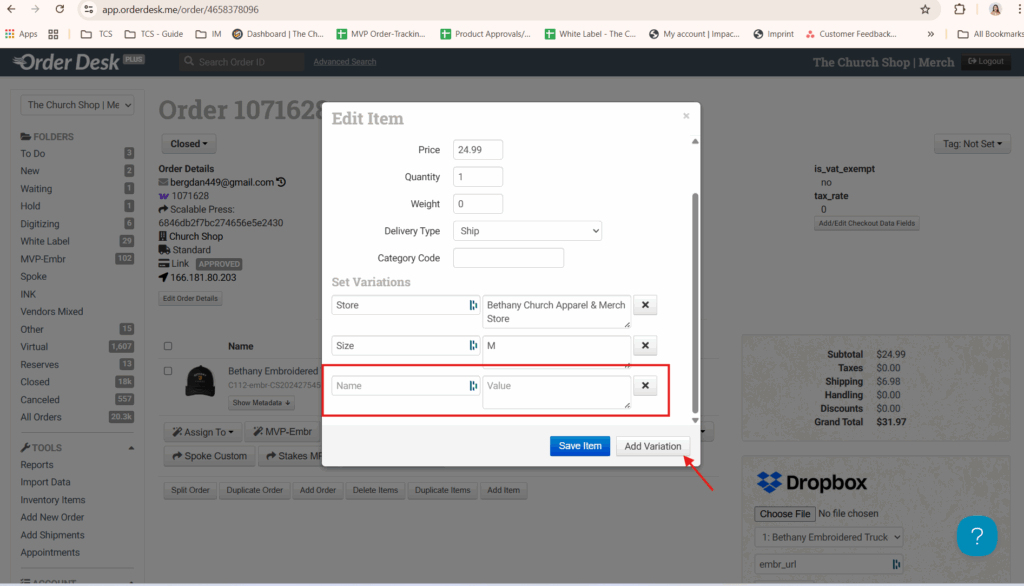
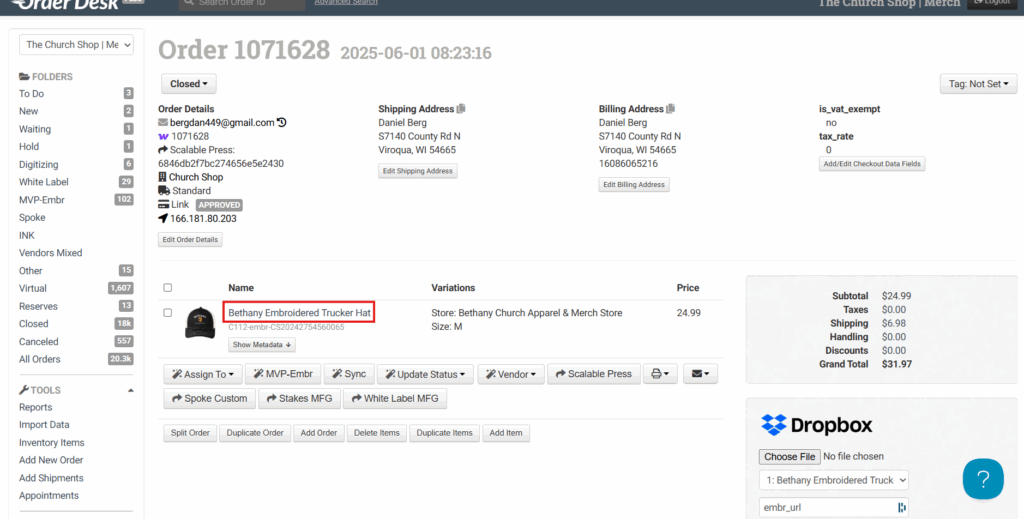
Access OD and type in the order number. As you can see here, the client did not select a shirt color. Assuming you’ve already contacted the client and they’ve provided the color, click on the product name and the edit item option will pop up.
Next, click on Add Variation. Enter the shirt color in the Name field and specify the actual color in the Value tab. Make sure to click Save Item afterward.