
✅ When to Use
- Adding new embroidered products
- Reviewing or adjusting existing in-house embroidery pricing
- Trialing pricing before final approval
Pull Base Product Pricing (SanMar)
☐ Open SanMar
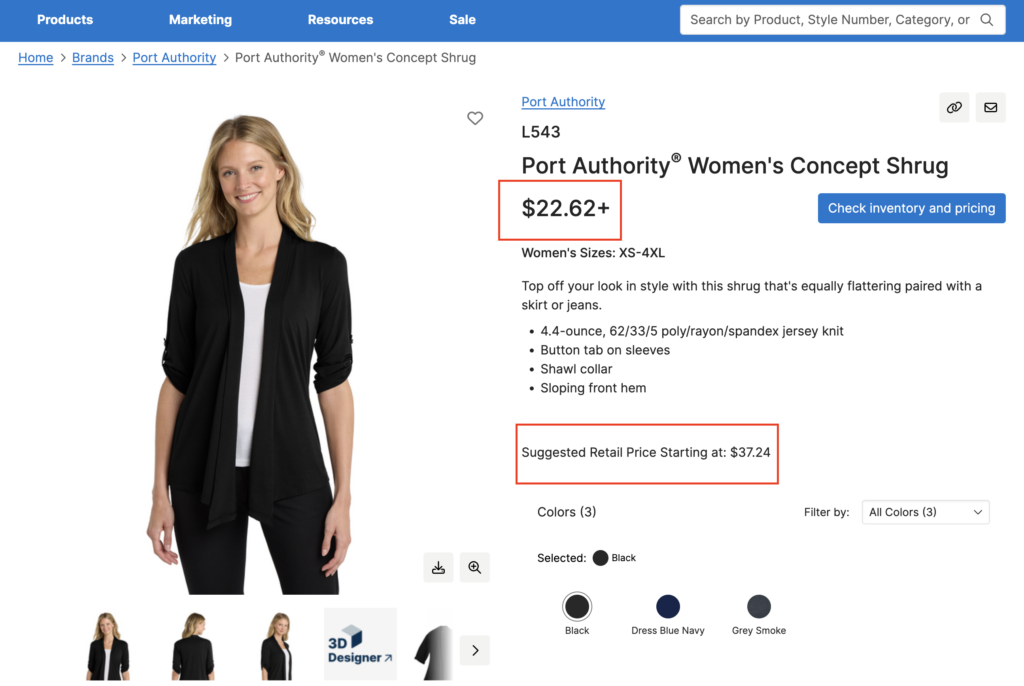
☐ Locate the product
☐ Pull the lowest applicable base price (avoid higher tiers)
☐ Note Suggested Retail Price (SRP) if available (reference only)
Check / Update Core SKU In-House Pricing Doc
☐ Open Core SKU Doc – In-House Pricing
☐ Check if product already exists
- ☐ If new, add it to the correct category
- ☐ If category is unclear, update or flag it
Fill in required fields:
- Product name
- SKU
- SanMar link
- Base price
- Notes (if needed)
⚠️ All new catalog items must be added to this doc.
Input Base Price for Trial Calculation
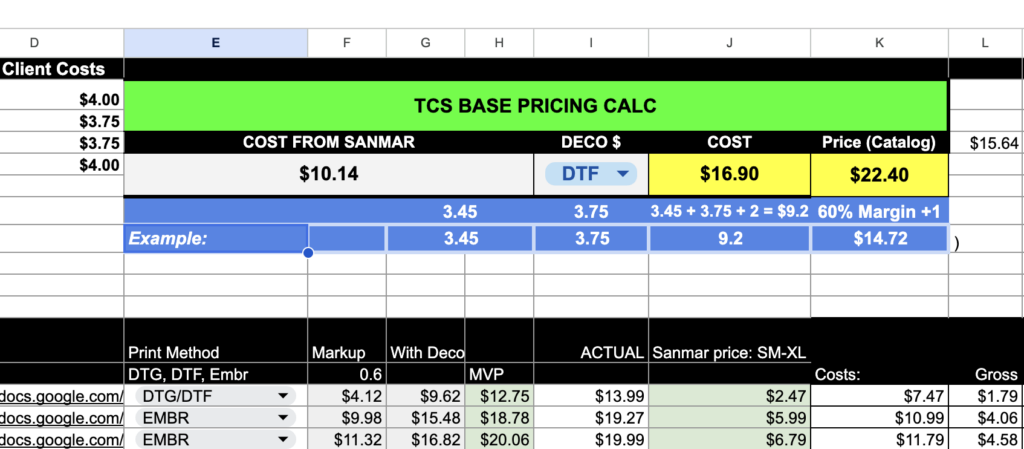
☐ Enter the SanMar base price into the pricing calculator
☐ Review suggested embroidery cost/markup
☐ Remember:
- Calculator was originally built for MVP
- Numbers may appear inflated or inaccurate
- Use as a starting point only
Apply Markup + Embroidery Decoration
☐ Review suggested retail price with decoration
☐ Confirm embroidery cost is included (typically first side)
☐ Adjust pricing if needed based on product type
Examples:
- Cardigans often need to be priced lower than suggested
- If $43 feels high → adjust to ~$39–$39.99
Sanity Check Final Retail Price
Ask yourself:
☐ Would a customer reasonably pay this?
☐ Does it align with similar products in our catalog?
☐ Are we covering costs without overpricing?