
Importing Products via Sinalite API
Activate the Sinalite Integration Plugin in CS INK.
- This pulls products from Sinalite’s API.
- Note: The plugin is not perfect; some products or variations may not pull correctly.
- Tip: Let the import run for at least 10 minutes before editing.
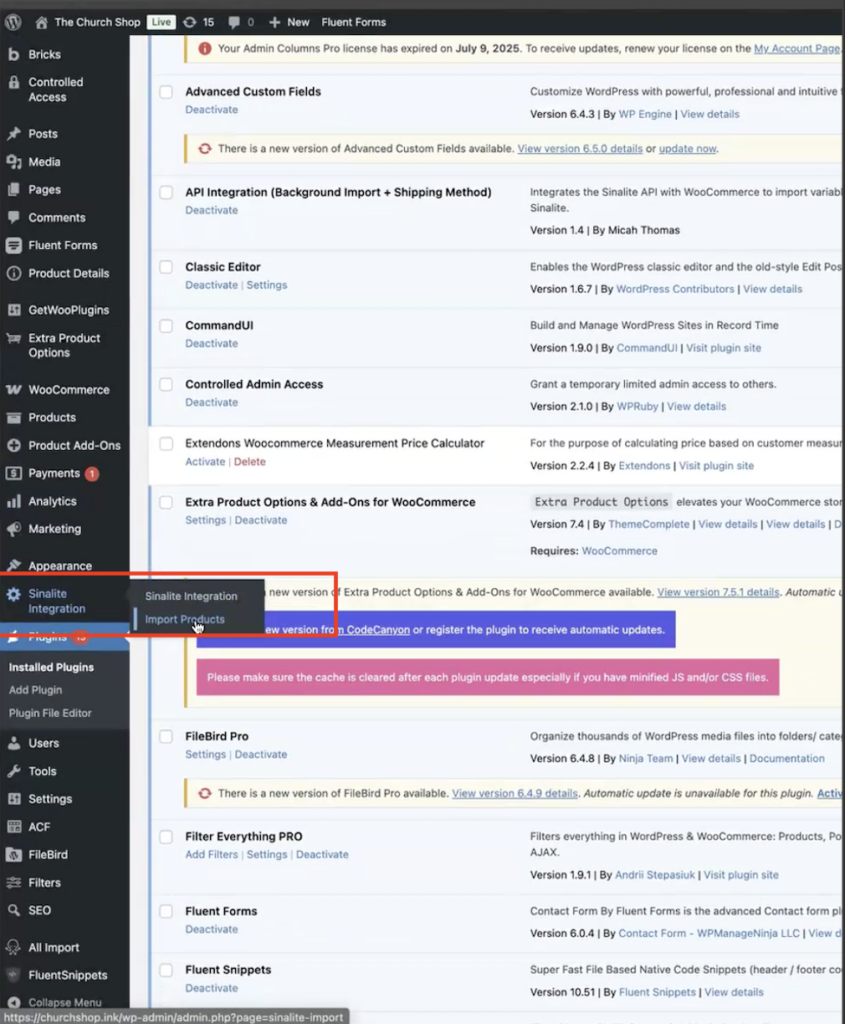
Steps to import:
Click Import Product. This schedules the product import in the background.
Go to Sinalite Integration → Import Products
Search for the product (e.g., business cards or envelopes) to ensure it’s not already on CS INK.
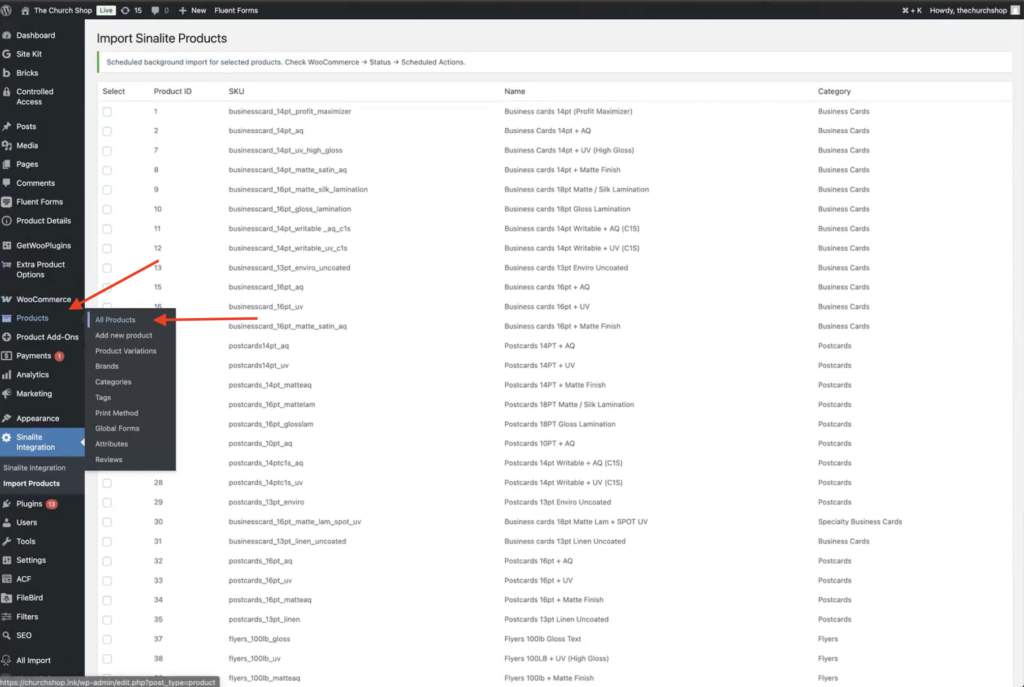
Verify import completion by searching for the product in All Products.
After the product has finished importing, open the product in All Products and review the variations.
Sinalite products often include many variations such as:
- Size
- Quantity
- Paper type
- Coating
- Round corners
- Print sides
These variations are imported automatically, but they must be reviewed carefully before publishing.
⚠️ Important: Some attributes may not import correctly and will require manual adjustments.
Fixing Variation Issues
One common issue involves the Round Corners attribute. In some cases, the import may show:
Any Round Corners instead of correctly identifying Yes or No.
When this occurs, manually review and correct the affected variations to match the correct configuration in Sinalite.