
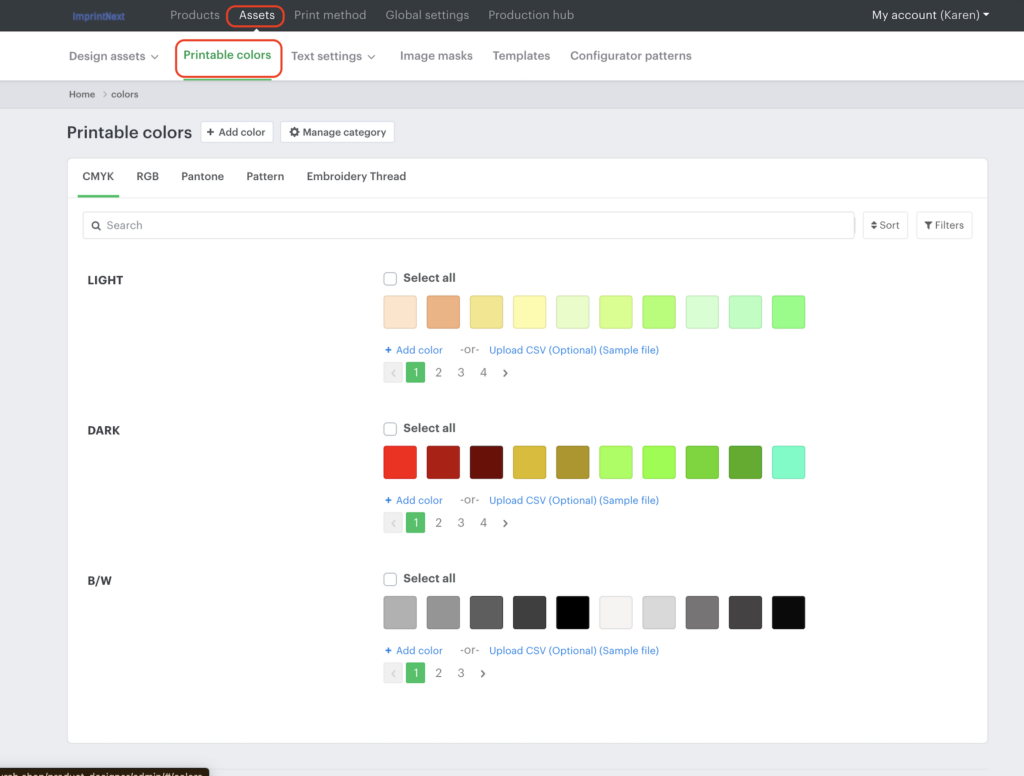
This guide explains how to manage and update Embroidery Thread Colors inside XE under Assets → Printable Colors.
While this section was originally designed for screen printing color control, we currently use it primarily for embroidery thread management. Proper setup ensures:
- Accurate color selection for customers
- Consistency with Isacord / Pantone references
- Controlled, streamlined thread options (no unnecessary clutter)
- System override capability for multi-color artwork
Where to Find It
- Log into XE
- Navigate to:
Assets → Printable Colors - Select Embroidery Thread
⚠️ If you do not see “Printable Colors,” notify an admin to update your account permissions.
What This Section Is Used For
Although originally built for screen printing, we use this area to:
- Define available embroidery thread colors
- Control color naming conventions
- Assign HEX codes for system matching
- Override multi-color artwork to a single thread color
- Organize primary vs secondary thread categories
We are not using this for full print color management.
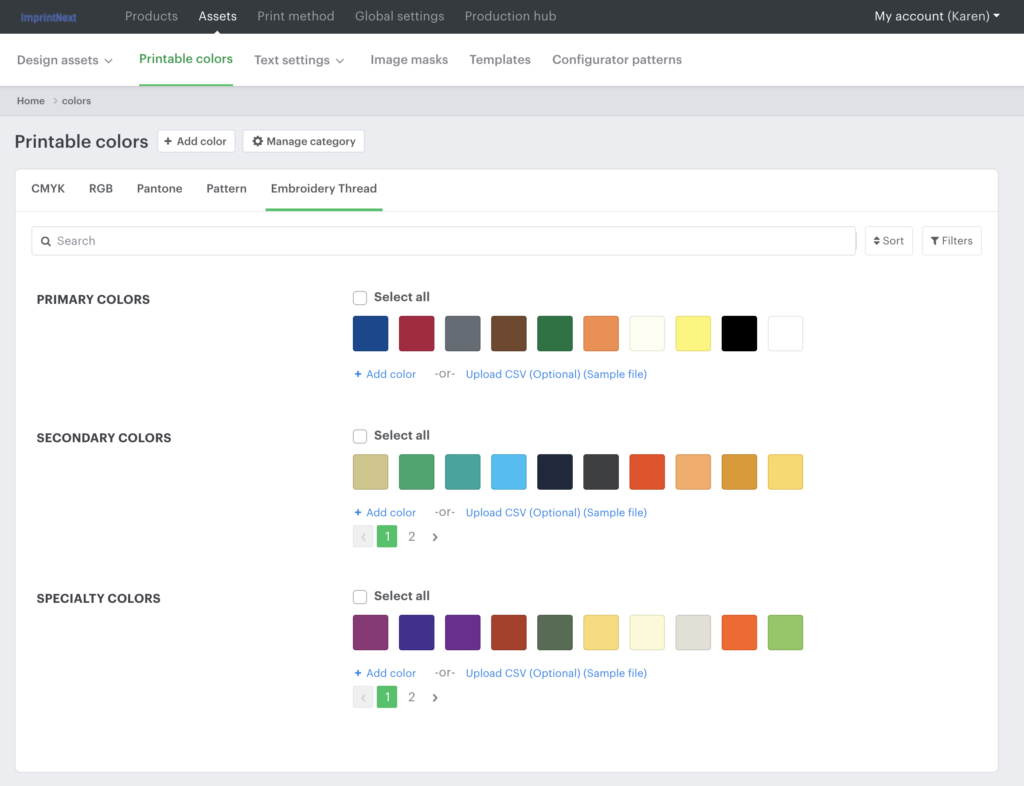
Primary vs Secondary Thread Colors
Originally, secondary thread colors were added because we considered charging extra for additional thread colors.
We are not currently charging extra, but we still maintain:
- Core Thread Colors (Primary)
- Secondary Thread Colors
Why keep them?
Because adding duplicate colors in secondary/third thread slots allows us to:
🔁 Override multi-color uploads and force them into one thread color (example: converting multi-color art into all white thread)
This is a system workaround and is intentional.
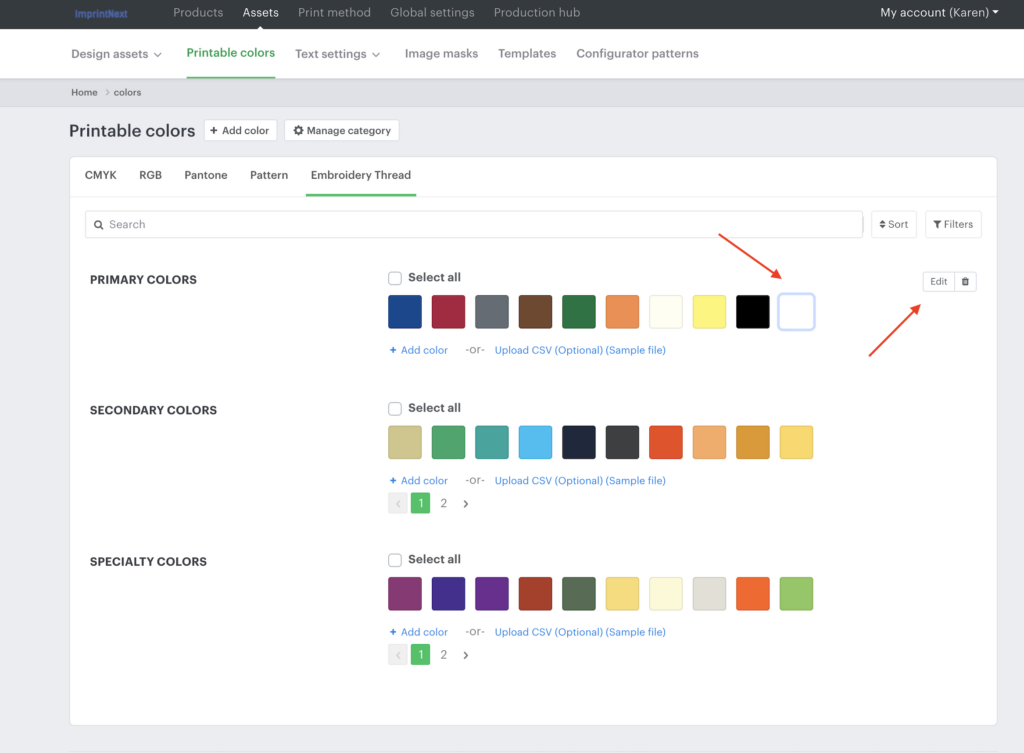
How to Edit a Thread Color
- Go to Assets → Printable Colors → Embroidery Thread
- Click into an existing color
- Update:
- Name
- Color Code (HEX)
- Click Update
How to Get the Correct Color Code
Recommended Process:
- Pull the correct Pantone color
- Search:
Pantone [number] to hex - Copy the HEX value
- Paste into XE color field
Example:
- Pantone 3522
- Convert to HEX
- Add into XE
Naming Convention Guidelines
If Isacord provides an official name → Use that.
If no official name exists:
Use this format:
Color Name – Color Number
Example:
Navy – 3600
Stay organized and consistent.
How Many Colors Should We Offer?
We do NOT need 100+ thread options.
Recommended structure:
- Core Colors: Top 20 most-used
- Maximum: 50 total (if needed)
- Avoid overwhelming customers with excessive options
Focus on:
- Common church branding colors
- Frequently digitized colors
- Popular neutrals
- Common athletic colors
Coordinate with digitizers (ex: Venus) to determine high-use threads.
CSV Upload Option
There is an option to upload a CSV file.
If Testing CSV:
- Download template
- Add 5 test colors
- Upload into development site (NOT live)
- Confirm functionality
If it fails → Manual entry is recommended.
Manual updates are often faster and safer.
Creating Subcategories (Example: Neon Thread)
If you want to create a new subcategory:
- Add a new thread category (example: Neon)
- Ensure:
- Print Method = Embroidery
- Save
- Return to Printable Colors
- Assign thread colors under the new subcategory
Organization structure is flexible, agree internally on what makes the most operational sense.
🔄 Matching Scalable Press / Isacord Colors
Originally, this setup mirrored Scalable Press core and secondary thread colors.
If needed:
- Reference Scalable Press chart
- Match closest Isacord equivalent
- Update naming + HEX accordingly
If official charts are missing, you may:
- Search online
- Request internal archived version
- Or standardize internally moving forward
Final Notes
This section is fully within our control.
If restructuring makes operations easier, DO IT.
If approval is needed, submit the proposed color list first.
The goal is:
- Cleaner system
- Easier digitization
- Fewer errors
- Better customer control