
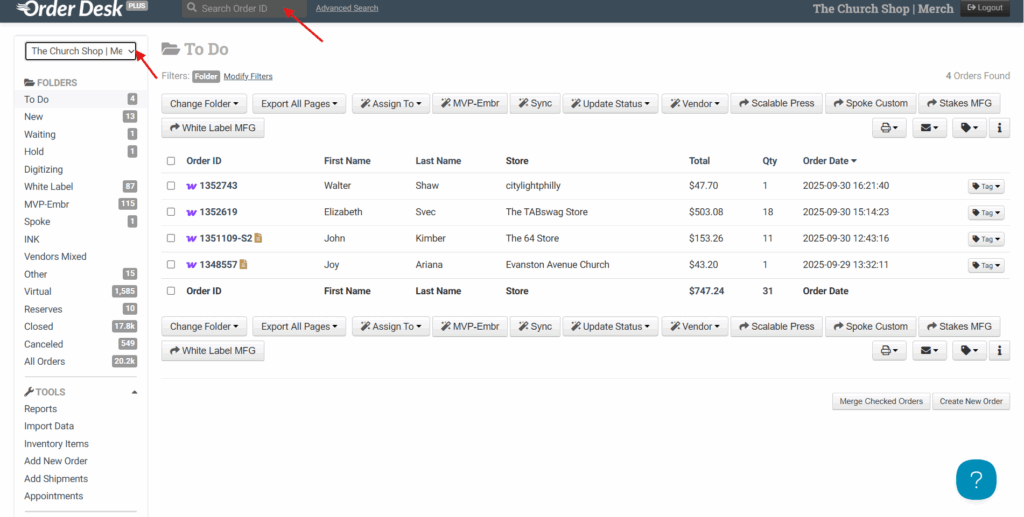
When you open the order desk, this is what you should see. Make sure you are in the TCS section if you are checking a TCS order. To check an Impact Merch order, click the dropdown menu and select it. Then, enter the Order ID to find the specific order.
Look at the product type to identify if it is an embroidery item. Any product tagged with “EMBR” is considered an embroidery item. All embroidery orders must be separated and sent to the Digitizing Folder.
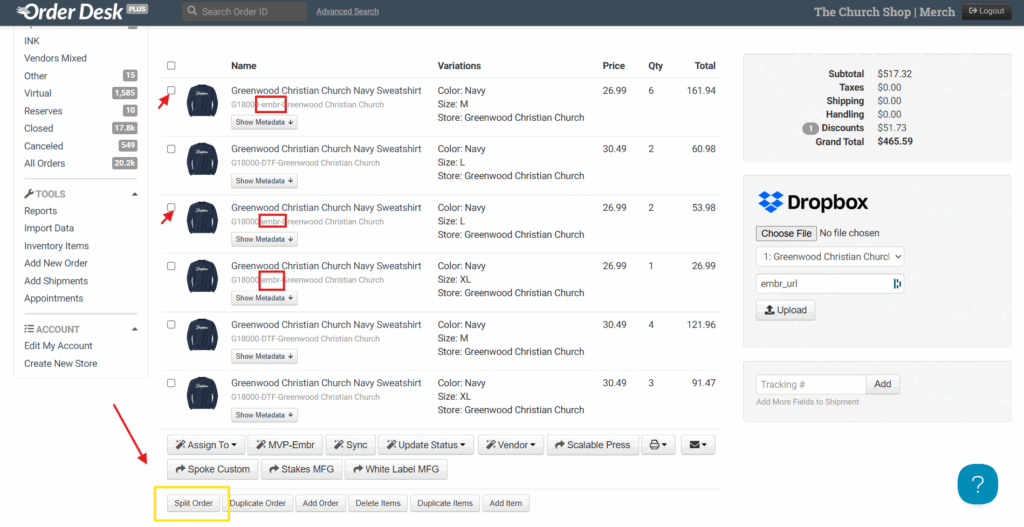
Always split orders that contain embroidery + non-embroidery items. Make sure that only the split orders tagged with “EMBR” are sent to the Digitizing Folder.
• EMBR = embroidery → must go to Digitizing.
• Other items (e.g., White Label or MVP vendors) remain in their original order or are routed accordingly.
Watch this video for a quick walkthrough.