Overview
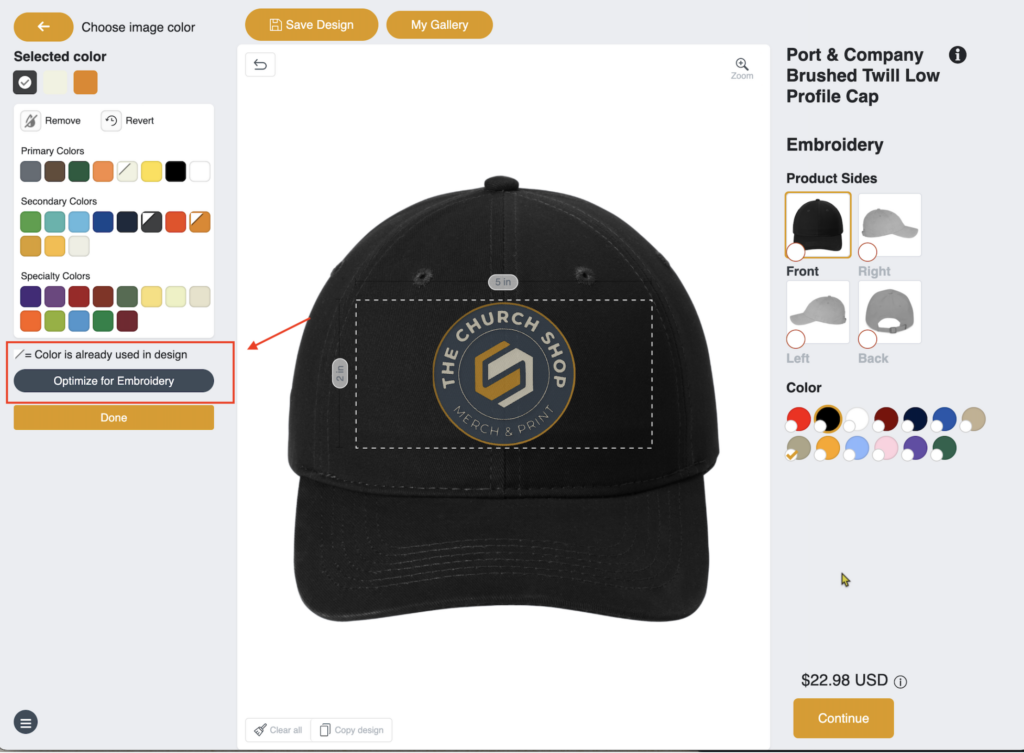
The Optimize for Embroidery tool was added to help resolve common embroidery-related artwork issues directly within the Edit Design tool. This feature allows clients to clean up their artwork without needing manual intervention from the design team.
It is especially useful for addressing logo splitting, rough or jagged edges, and thin text that does not stitch cleanly.
Common Issues This Solves
Designs uploaded as low-resolution PNG or JPG files may appear pixelated or fragmented. When sent to embroidery, this can result in:
- Broken or split logos
- Uneven stitching
- Text that is too thin to embroider properly
How the Tool Helps
When a client clicks Optimize for Embroidery, the system converts the artwork into smoother, sharper paths that are more suitable for embroidery stitching. This reduces production issues and speeds up approvals.