
This process applies when an MVP reprint is required due to an MVP-side error (e.g., printing issue, incorrect item sent, or quality problem) and MVP will cover the cost of the replacement.
1. Use the Original Order Number
- Always reference the original order number when processing an MVP reprint.
- This ensures accurate tracking and reporting across systems (Order Desk, MVP Order Tracking Sheet, and customer communication).
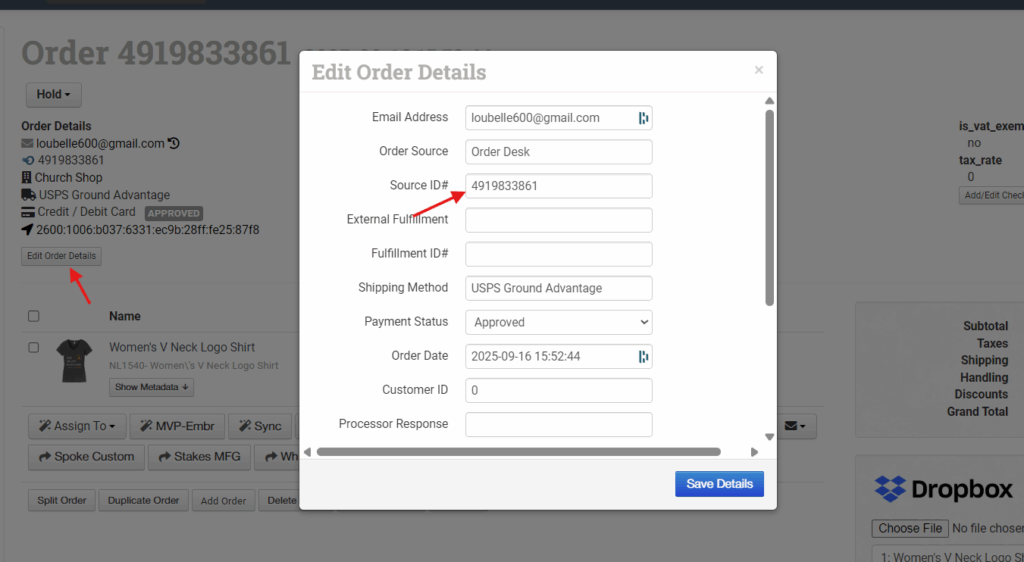
2. Create the Duplicate Order
- Duplicate the original order in the system.
- Update the duplicate order number using the following format:
R-[original order #]-S1
Example:R-198386-S1 - If additional reprints are needed for the same order (e.g., multiple rounds), increment the suffix (e.g.,
S2,S3, etc.).
3. Fill Out the Credit Sheet Tab
- Go to the MVP Order Tracking Sheet → Credit Sheet tab.
- The team member who creates the duplicate order (Support or Venus) is responsible for filling out this entry.
- Include the following details:
- Original Order Number
- Duplicate Order Number
- Date Created
- Reason for Reprint (e.g., print defect, incorrect color, item damaged in transit)
- Notes on resolution or communication with MVP
This ensures the accounting team can properly track credits and confirm that MVP covers the cost of the reprint.
4. Communication and Follow-Up
- Notify MVP Support that the reprint has been processed, referencing both order numbers.
- Add a note in the Order Desk or relevant system indicating that this is an MVP-covered reprint, so it’s not billed to the client.
- Once the replacement ships, verify that tracking is updated and that the customer is notified if needed.
Additional Notes
- Reprints should only be processed under this category when MVP has acknowledged fault or confirmed cost coverage.
- If the issue is customer-related (e.g., wrong size or design submitted), follow the standard reprint or replacement procedure instead. Or you can ping Admin if unsure.
- Keep all communication regarding the issue (emails, screenshots, MVP confirmations) attached to the order record for reference.