
MERCH RESERVE is a feature designed to simplify bulk order management for large events. It allows customers to place their orders in advance, while our team handles printing and shipping all items together to ensure they arrive at the organization at the same time.
This is where the reserved items come in if the customer’s order is set as Merch Reserve.
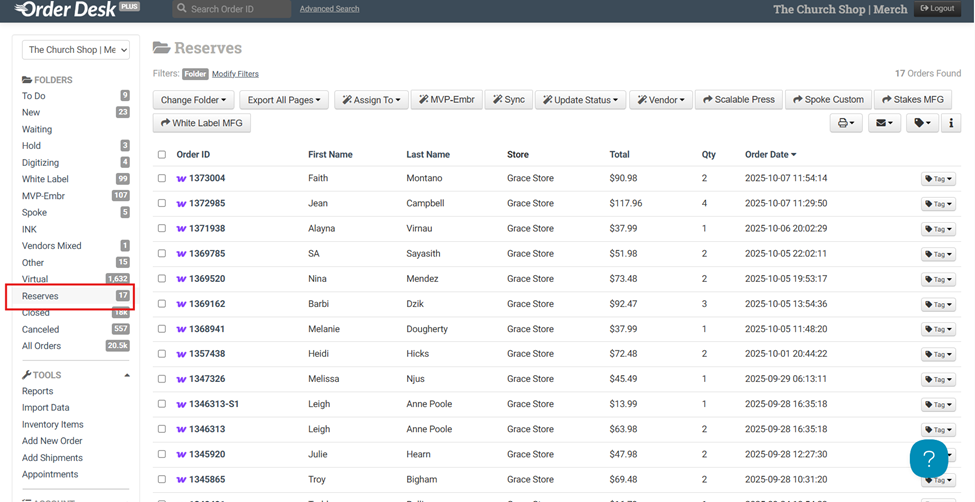
Here’s how a Merch Reserve order appears when opened. It’s generally the same for all reserve orders, though sometimes there are extra notes, like an email address or the name of the person who’ll receive it. All of the items will be shipped to the church, so the address shown here doesn’t really matter. It’s normal to see different addresses listed.
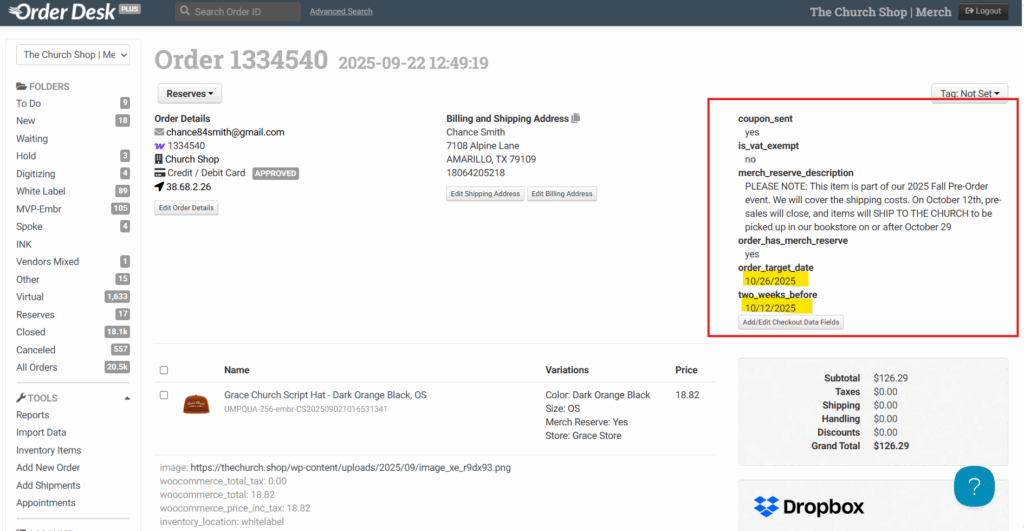
Search the product using its SKU, then check the following:
- Make sure the design matches all the previews.
- Confirm there are no missing sides.
- Verify that the prices are the same as shown in the preview.
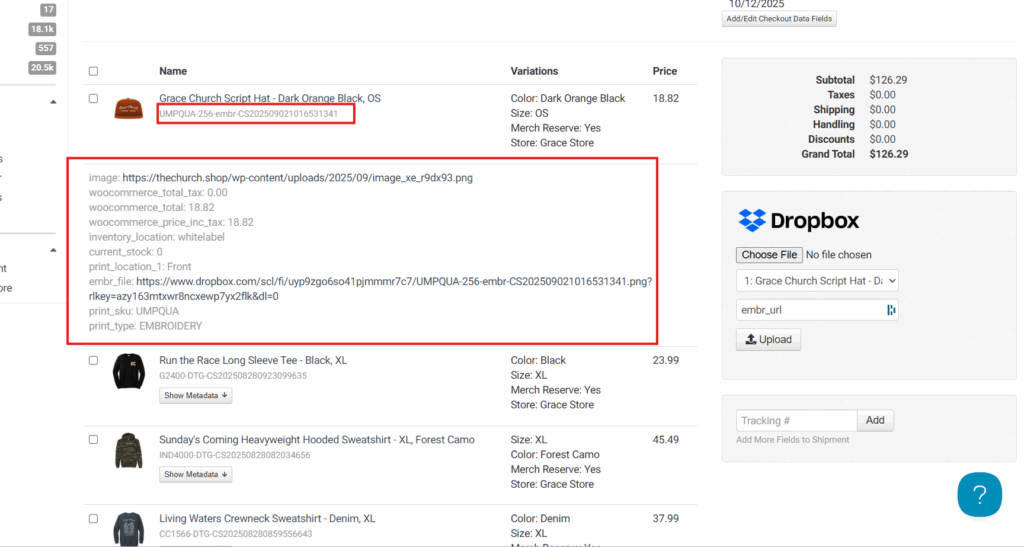
Next, we’ll need to close the Merch Reserve products. Here’s how:
- Copy and paste the SKU for all products.
- Open each product, scroll down, and go to the Merch Reserve tab.
- Check two key details:
- If “Church Covers” is set to No, customers will still pay for their own items but will receive free shipping.
- If “Church Covers” is set to Yes, the church will cover the total cost, and a separate invoice will be sent to them.
- The most important step is to make sure the Merch Reserve Status is set to No, then click Submit to finalize.
Note: You’ll need to repeat these steps one by one for all products in the order.
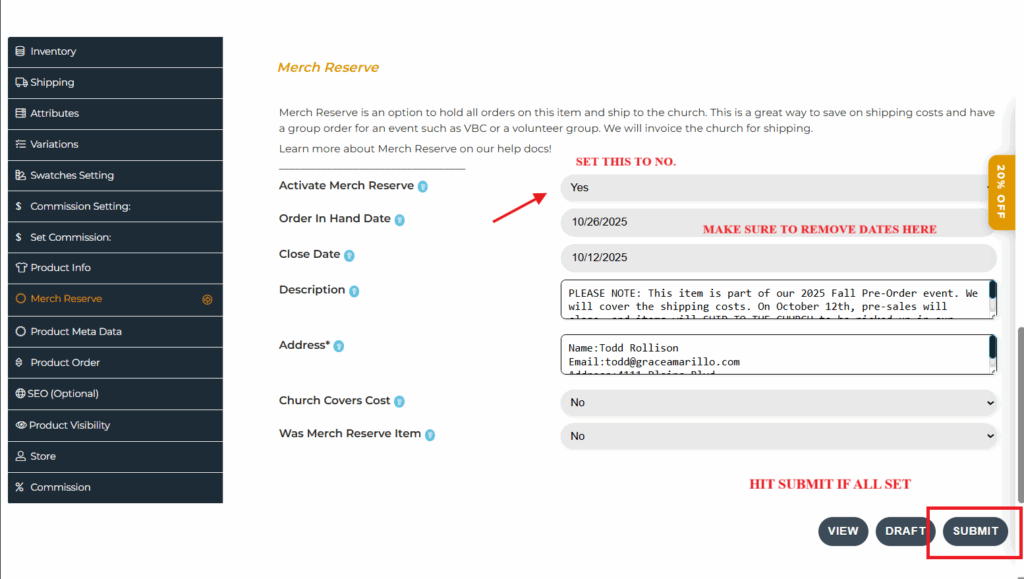
Once everything is okay and updated, merge all of these (let’s say they’re all coming out on the same date) and hit Merge Checked Orders. This will create a single order number with the term “Reserve,” which already contains all of those orders.
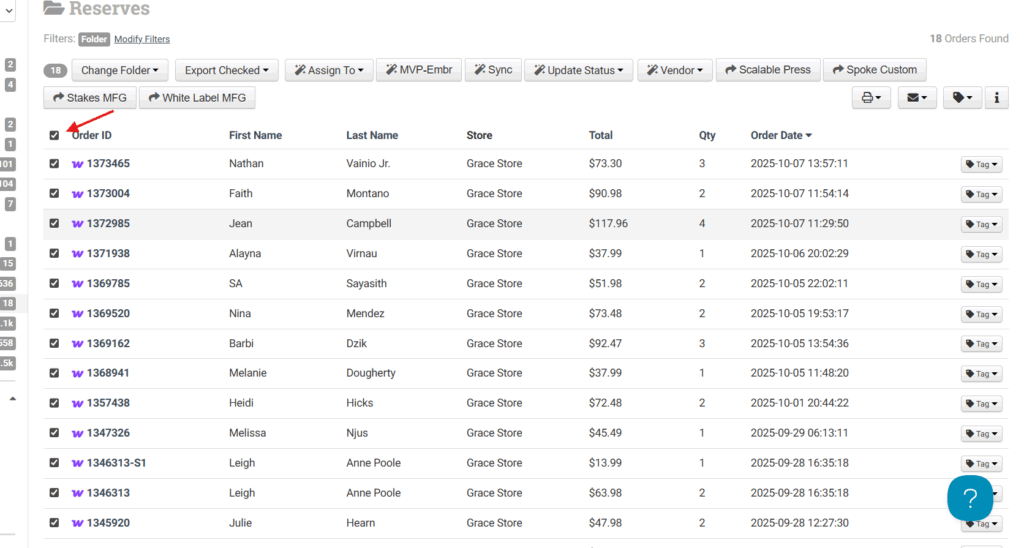
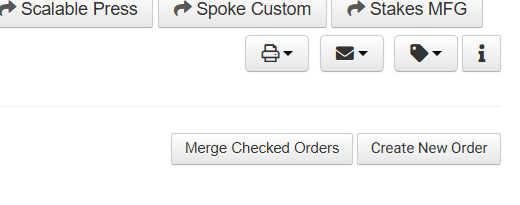
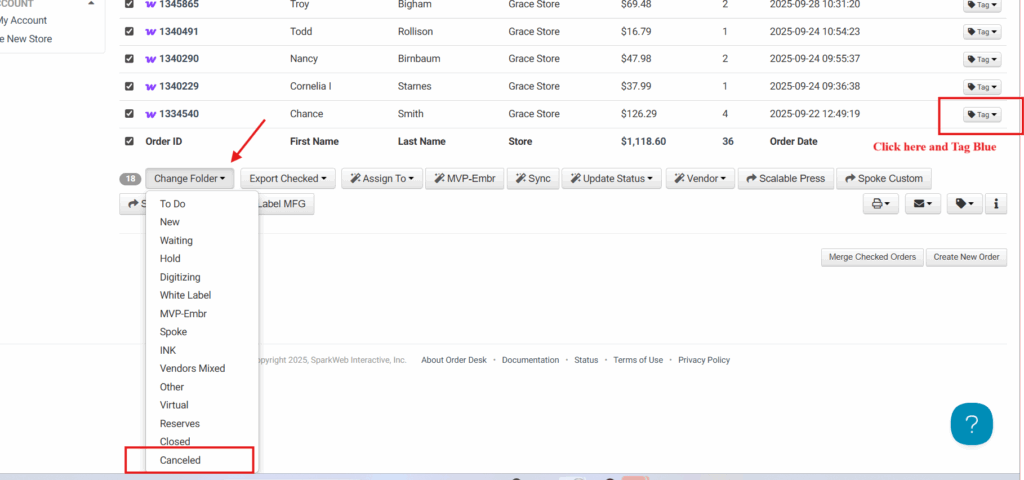
After merging all the orders, tag them in blue for tracking. Then click Change Folder and select Cancel. Once that’s done, there should only be one order number left. That’s the merged order that contains all the reserve orders.
Here’s a quick walkthrough you can watch